
Running a small business in the United States is not easy. Whether you operate an online store, digital marketing agency, consulting company, local service business, or startup, managing daily operations can quickly become overwhelming. From creating marketing campaigns and responding to customers to managing finances and generating leads, business owners have to handle multiple responsibilities with limited resources.
Hiring additional employees or subscribing to expensive business software is not always practical, especially when you are just starting.
This is where AI is changing the way small businesses operate.
Today, the best free AI tools for small businesses can help entrepreneurs write professional emails, design marketing graphics, analyze information, automate repetitive tasks, research competitors, create social media content, and improve customer communication without investing hundreds of dollars in software subscriptions.
The best part? You don’t need to be a an expert to use these tools.
In this guide, we will explore 12 of the best free AI tools for small businesses in 2026, explain what they do, identify their practical applications, and help you choose the right tools for your business.
Whether you are a solo entrepreneur, startup founder, freelancer, or small business owner, these AI tools can help you work smarter, reduce operational expenses, and focus on business growth.
Why Should Small Businesses Start Using AI Tools?
Artificial intelligence is no longer something reserved for large technology companies. Small businesses can now access AI-powered software that previously required dedicated employees, expensive systems, and technical expertise.
For example, a small ecommerce business can use AI to write product descriptions, create advertising ideas, generate product visuals, and answer common customer questions.
Similarly, a real estate agent can use AI to create property descriptions, prepare email campaigns, summarize customer conversations, and develop social media strategies.
Here are some important reasons to consider using AI in your business.
1. Reduce Business Expenses
Small businesses often operate with limited budgets. AI tools can help reduce the need for multiple subscriptions and outsourced services for everyday tasks.
You can use free AI writing assistants, graphic design tools, research platforms, and automation software to complete many routine activities.
2. Save Time on Repetitive Tasks
Writing emails, preparing reports, creating captions, organizing information, and answering common questions can consume several hours every week.
AI can speed up these activities and give business owners more time to focus on customers and revenue-generating work.
3. Improve Marketing and Content Creation
Marketing is essential for business growth, but producing content consistently requires time and creativity.
AI marketing tools can help generate blog outlines, social media captions, advertising concepts, email newsletters, and promotional ideas.
4. Make Better Business Decisions
AI research and analysis tools can help organize information, compare options, identify patterns, and summarize market research.
However, important financial and business decisions should always involve human verification.
5. Compete With Larger Businesses
Small businesses can use affordable AI software to improve productivity and deliver more professional customer experiences.
AI does not automatically make a small company successful, but it can help a small team accomplish more with limited resources.
12 Best Free AI Tools for Small Businesses in 2027
Below is a comparison of popular AI-powered tools that small business owners can explore. These platforms offer free access or free tiers, although advanced features, usage limits, and commercial permissions vary.
| AI Tool | Best For | Business Application |
| ChatGPT | Writing and productivity | Emails, blogs, business ideas |
| Google Gemini | Research and productivity | Research, planning, document assistance |
| Claude | Long-form writing | Proposals, reports, editing |
| Canva | Graphic design | Social media and advertisements |
| Perplexity AI | Online research | Competitor and market research |
| Grammarly | Writing improvement | Emails and professional communication |
| HubSpot | Customer relationship management | Lead and customer management |
| Zapier | Workflow automation | Connecting business applications |
| CapCut | Video creation | Reels, advertisements, product videos |
| NotebookLM | Document research | Understanding business documents |
| Microsoft Copilot | Productivity | Documents, research, and everyday assistance |
| Mailchimp | Email marketing | Newsletters and customer campaigns |
Let’s get to know about each tool and how it can help your business grow:

1. ChatGPT – Best for Everyday Business Tasks
Website: https://chatgpt.com/
ChatGPT is one of the most useful and easy to use AI assistant for small businesses. It can help entrepreneurs with writing, brainstorming, research, planning, customer communication, and everyday business operations.
Instead of spending hours creating marketing content or drafting professional emails, you can use ChatGPT to generate an initial version within seconds.
How Can Small Businesses Use ChatGPT?
- Write professional business emails.
- Create website content and SEO blog outlines.
- Generate product descriptions for ecommerce stores.
- Prepare social media captions.
- Brainstorm advertising campaigns.
- Develop business plans and marketing strategies.
- Create customer support response templates.
- Summarize documents and organize information.
For example, if you own a clothing store, you can ask ChatGPT to write SEO-friendly product descriptions, generate Instagram captions, and suggest promotional campaign ideas.
You can also use it to create a custom FAQ section for your website.
Example prompt:
“Act as a US ecommerce marketing specialist. Write five engaging Facebook advertising headlines for a small clothing brand targeting customers aged 25–40. Focus on comfort, quality, and affordable fashion.“
ChatGPT can provide several starting ideas that you can edit according to your brand.
Free plan: Available, with limits on selected advanced features and usage.
Best for: Entrepreneurs, ecommerce businesses, freelancers, agencies, and service providers.
Techloopy verdict: If you are looking for one AI tool to start with, ChatGPT is an excellent all-purpose option.
2. Google Gemini – Best for Research and Productivity
Website: https://gemini.google.com/
Google Gemini is an AI assistant that helps users research topics, generate content, understand information, and complete everyday productivity tasks.
It is particularly useful for entrepreneurs who already use Google’s ecosystem, including Gmail, Google Docs, and Google Drive.
How Can Small Businesses Use Google Gemini?
- Research business ideas and industries.
- Create marketing strategies.
- Generate blog topics.
- Draft business emails.
- Brainstorm product names.
- Summarize information.
- Develop customer personas.
- Organize business planning tasks.
Imagine you are planning to launch a new skincare brand in the United States.
You can ask Gemini to help identify potential customer segments, generate product positioning ideas, and create a list of topics for your content marketing strategy.
Remember to verify market statistics, competitor claims, and regulatory information independently.
Free plan: Available, with feature and usage restrictions depending on the account and region.
Best for: Small business owners, online entrepreneurs, marketers, and people working with Google services.
3. Claude – Best for Long-Form Business Writing and complex tasks
Website: https://claude.ai/
Claude, developed by Anthropic, is another useful AI assistant for businesses that regularly create long documents and professional written content.
Its writing capabilities make it worth considering for proposals, business reports, policies, website content, and detailed marketing materials.
How Can Small Businesses Use Claude?
- Write detailed business proposals.
- Create professional company profiles.
- Edit website content.
- Develop customer communication templates.
- Summarize lengthy documents.
- Prepare internal business guidelines.
- Improve the tone and structure of reports.
For example, a consulting company can use Claude to prepare the first draft of a service proposal, organize its sections, and improve the clarity of its business communication.
Always review generated information before sending proposals or publishing important business documents.
Free plan: Available, subject to usage limits.
Best for: Consultants, agencies, freelancers, startups, and businesses that create long-form documents.
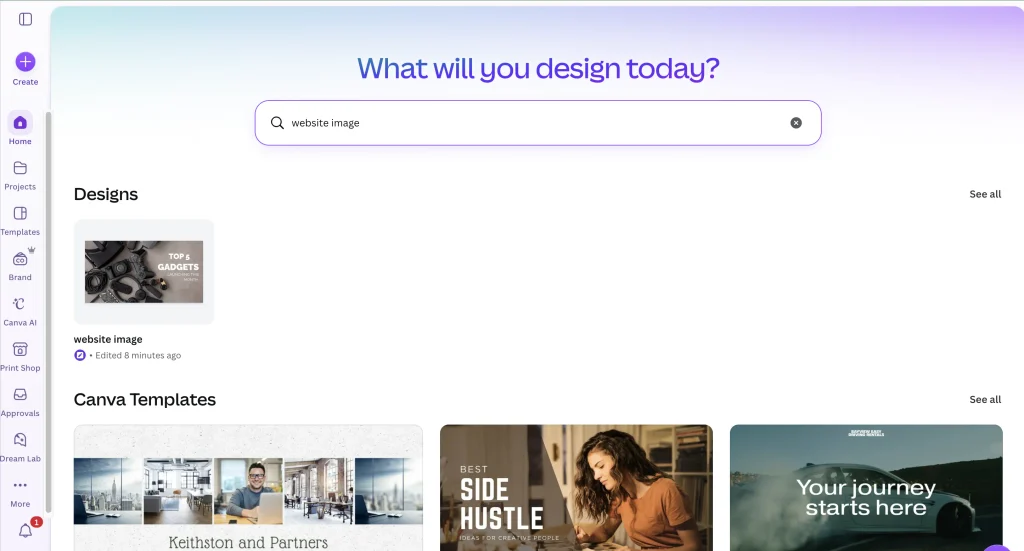
4. Canva – Best for Graphic Design and Marketing campaign
Website: https://www.canva.com/
Visual content is an important part of digital marketing. Businesses need attractive graphics for social media, websites, advertisements, presentations, brochures, and promotional campaigns.
Canva makes graphic design easier, even if you don’t have professional design experience.
Its AI-powered Magic Studio features provide additional ways to create and edit visual content.
How Can Small Businesses Use Canva?
- Design Instagram posts.
- Create Facebook advertisements.
- Prepare business presentations.
- Design promotional banners.
- Create product marketing graphics.
- Build company brochures.
- Prepare YouTube thumbnails.
- Design marketing materials.
For example, a restaurant can use Canva to create weekly menu graphics, discount announcements, and promotional social media posts.
An ecommerce business can use it to design product banners and seasonal promotional creatives.
Free plan: Available. Some premium templates, design assets, and AI features require a paid plan or have usage restrictions.
Best for: Ecommerce brands, restaurants, agencies, freelancers, and local businesses.
Techloopy verdict: Canva is one of the most practical and useful free AI tools for small businesses that regularly create visual marketing content or want to create exclusive campaign graphics.
5. Perplexity AI – Best for Business and Competitor Research
Website: https://www.perplexity.ai/
Market Research is an integral part of business development. Before launching a product or marketing campaign, entrepreneurs need to understand their industry, target customers, competitors, and market trends and perplexity is perfect to analyse these all.
Perplexity AI helps users research questions and explore information with linked sources.
Unlike a traditional search engine experience, it provides conversational answers that can make initial research faster.
How Can Small Businesses Use Perplexity AI?
- Research competitors.
- Explore industry trends.
- Find market research reports.
- Investigate customer preferences.
- Compare business software.
- Discover potential marketing opportunities.
- Research new product categories.
For example, if you are launching a coffee brand, you can use Perplexity to research specialty coffee trends, competitor positioning, packaging approaches, and customer preferences in different US markets.
Always open and verify the cited sources before using statistics or making business decisions.
Free plan: Available, with restrictions on advanced searches and selected features.
Best for: Startup founders, marketers, consultants, and business owners who conduct frequent research.
6. Grammarly – Best AI Writing Assistant for Professional Communication
Website: https://www.grammarly.com/
Professional communication builds customer confidence.
Whether you are responding to customer emails, sending proposals, publishing website content, or preparing marketing messages, clear writing matters.
Grammarly helps identify spelling, grammar, punctuation, and clarity issues.
Its AI-powered features can also help improve written communication.
How Can Small Businesses Use Grammarly?
- Check customer emails.
- Improve website content.
- Correct grammar in marketing materials.
- Review business proposals.
- Improve professional communication.
- Check spelling in social media posts.
- Make written messages easier to understand.
For example, a freelancer can draft an email to a potential US client and use Grammarly to check grammar, clarity, and tone before sending it.
Free plan: Available, with advanced writing features reserved for paid plans.
Best for: Freelancers, agencies, ecommerce businesses, consultants, and remote teams.
7. HubSpot – Best for Managing Customers and Business Leads
Website: https://www.hubspot.com/
Lead generation is only one part of growing a business. You also need a reliable way to organize customer information, track conversations, manage sales opportunities, and follow up with potential buyers.
HubSpot offers a customer relationship management platform, commonly known as CRM.
Its free CRM is particularly useful for small businesses that want to organize sales activities without immediately purchasing expensive software.
How Can Small Businesses Use HubSpot?
- Store customer contact information.
- Track potential customers.
- Organize sales opportunities.
- Manage business pipelines.
- Record customer interactions.
- Track follow-up activities.
- Organize marketing and sales processes.
For example, a digital marketing agency can use HubSpot to track leads who submit website inquiry forms.
The team can organize prospects based on their sales stage and ensure that important follow-ups are not missed.
Free plan: A free CRM is available. Advanced marketing, automation, reporting, and AI capabilities may require paid subscriptions.
Best for: B2B companies, agencies, consultants, real estate businesses, and service providers.
8. Zapier – AI and Workflow Automation Tool for Small Businesses
Website: https://zapier.com/
Small businesses often use multiple sources to manage their daily operations.
For example, a business may receive customer inquiries through website forms, manage contacts in a CRM, communicate through email, and organize work in project management software.
Manually moving information between these platforms wastes time.
Zapier helps in connecting different applications and automating workflows.
How Can Small Businesses Use Zapier?
- Connect website forms to CRM systems.
- Send automated email notifications.
- Transfer information between applications.
- Organize new customer inquiries.
- Create basic automated workflows.
- Connect marketing and productivity applications.
For example, when a potential customer submits an inquiry form on your website, Zapier can automatically send the information to a connected CRM and notify your sales team.
Its AI-related capabilities can also support certain workflow tasks, depending on the plan and available integrations.
Free plan: Available, with task and workflow restrictions.
Best for: Startups, agencies, ecommerce businesses, and small teams handling repetitive administrative work.
9. CapCut – Best Free AI Tool for Short-Form Video Marketing
Website: https://www.capcut.com/
Video marketing is becoming very important for businesses these days.
Platforms such as Instagram, TikTok, YouTube, and Facebook provide opportunities for brands to reach potential customers through short-form videos.
CapCut is a popular video editing platform that makes it easier to create professional-looking content.
How Can Small Businesses Use CapCut?
- Edit Instagram Reels.
- Create TikTok videos.
- Prepare YouTube Shorts.
- Add subtitles and captions.
- Edit product demonstration videos.
- Create promotional advertisements.
- Add transitions and visual effects.
- Improve video presentation.
For example, an online clothing store can record a product demonstration and use CapCut to add captions, transitions, background music, and promotional text.
Free plan: Core editing features are available at no cost. Some AI features, templates, effects, and assets may require Pro access.
Best for: Content creators, ecommerce brands, restaurants, influencers, and small marketing teams.
10. Google NotebookLM – Best AI Tool for Understanding Business Documents
Website: https://notebooklm.google.com/
Small business owners frequently work with lengthy documents, research reports, business plans, product information, and internal guidelines.
Reading and organizing all this information can be time-consuming.
Google NotebookLM helps users understand and explore information from sources they provide.
It is particularly useful when you need answers grounded in a collection of business documents.
How Can Small Businesses Use NotebookLM?
- Summarize business documents.
- Understand lengthy reports.
- Organize product information.
- Review training materials.
- Extract important information from documents.
- Prepare internal knowledge resources.
- Explore information across multiple sources.
For example, a company can upload its product documentation and ask questions about product specifications, warranty details, or internal procedures.
Always verify important answers against the original documents.
Free plan: Available, with usage limits and feature availability that may change.
Best for: Consultants, small teams, researchers, educators, and businesses working with large amounts of documentation.
11. Microsoft Copilot – AI Assistant for Microsoft Users
Website: https://copilot.microsoft.com/
Microsoft Copilot is an AI assistant that can help business owners with research, writing, brainstorming, and productivity.
It is worth considering if your business already uses Microsoft products.
Depending on your subscription and account, Copilot experiences and integrations can vary.
How Can Small Businesses Use Microsoft Copilot?
- Draft business emails.
- Generate marketing ideas.
- Summarize information.
- Research business topics.
- Create document outlines.
- Brainstorm sales strategies.
- Improve everyday productivity.
For example, a small consulting company can use Copilot to develop a client presentation outline, draft meeting summaries, and prepare business communication.
Some deeper Microsoft 365 integrations require eligible paid subscriptions.
Free plan: A free Copilot experience is available, with different capabilities from paid Microsoft 365 Copilot offerings.
Best for: Businesses using Microsoft products, freelancers, consultants, and office-based teams.
12. Mailchimp – Best for Email Marketing and Customer Campaigns
Website: https://mailchimp.com/
Email marketing remains an effective way for small businesses to communicate with customers.
Whether you operate an ecommerce store, service company, or online business, email campaigns can help promote new products, announce discounts, share useful information, and maintain customer relationships.
Mailchimp provides email marketing and audience management features which are perfect for small businesses.
How Can Small Businesses Use Mailchimp?
- Create email newsletters.
- Build subscriber lists.
- Send promotional campaigns.
- Manage customer audiences.
- Create marketing emails.
- Monitor campaign performance.
- Organize email marketing activities.
For example, a small ecommerce brand can send product announcements, seasonal promotions, and abandoned-cart campaigns where supported by its plan.
Mailchimp also provides AI-assisted features in selected workflows and subscription tiers.
Free plan: Availability and limits depend on the current plan and region. Verify subscriber, sending, and feature limits before signing up.
Best for: Ecommerce brands, online businesses, consultants, and small marketing teams.
Best Free AI Tools for Small Businesses: Complete Comparison
Choosing the right AI software becomes easier when you compare tools according to their primary business applications.
| Tool | Main Purpose | Ideal Business Type |
| ChatGPT | Content and productivity | Almost every business |
| Gemini | Research and planning | Startups and service businesses |
| Claude | Long-form writing | Agencies and consultants |
| Canva | Graphic design | Ecommerce and local businesses |
| Perplexity | Research | Entrepreneurs and marketers |
| Grammarly | Writing improvement | Freelancers and agencies |
| HubSpot | CRM and lead management | B2B and service businesses |
| Zapier | Automation | Startups and growing teams |
| CapCut | Video editing | Ecommerce and content brands |
| NotebookLM | Document research | Consultants and small teams |
| Copilot | Productivity | Microsoft users |
| Mailchimp | Email marketing | Ecommerce and online businesses |
How to Choose the Right AI Tools for Your Small Business
Not every business needs every AI tool.
Installing multiple applications without a clear strategy can create additional work instead of improving productivity.
The best approach is to identify the tasks that consume the most time and select software that solves those problems.
Here are some recommendations based on different business models.
For Ecommerce Businesses
If you operate an online store, start with:
- ChatGPT for product descriptions and marketing ideas.
- Canva for product banners and social media graphics.
- CapCut for product videos.
- HubSpot for organizing business leads.
- Mailchimp for customer email campaigns.
This combination can support your content creation and marketing activities.
For Digital Marketing Agencies
Marketing agencies regularly create content, research competitors, prepare client proposals, and manage campaigns.
Consider using:
- ChatGPT for content and marketing strategies.
- Claude for proposals and detailed reports.
- Canva for marketing creatives.
- Perplexity for research.
- Grammarly for content quality.
- Zapier for basic workflow automation.
For Freelancers and Consultants
Freelancers need to communicate professionally, manage projects, and generate new business opportunities.
A useful starter combination includes:
- ChatGPT for brainstorming and writing.
- Claude for long-form proposals.
- Grammarly for editing.
- HubSpot for lead management.
- NotebookLM for document research.
For Restaurants and Local Businesses
Restaurants, salons, repair companies, and other local businesses can use AI to improve their marketing and communication.
Consider:
- ChatGPT for promotional ideas and customer responses.
- Canva for offers, menus, and social media graphics.
- CapCut for short-form promotional videos.
- Mailchimp for customer newsletters.
For Startups
Startups often need to validate ideas, research markets, prepare presentations, and manage limited resources.
A practical starting combination includes:
- Gemini for research and planning.
- ChatGPT for brainstorming.
- Perplexity for source-based research.
- Canva for presentations.
- HubSpot for sales pipeline management.
- Zapier for simple automation.
How to Use AI to Grow a Small Business Without Spending Money
Having access to AI tools is not enough. The real benefit comes from integrating rightly these tools into everyday business operations.
Here is a simple workflow that any small business can follow.
Step 1: Identify Your Biggest Challenges
Make a list of tasks that take the most time.
For example:
- Creating social media content.
- Writing customer emails.
- Generating leads.
- Preparing business proposals.
- Researching competitors.
- Managing customer inquiries.
Choose two or three problems to solve first.
Step 2: Select Only the Tools You Need
Start with a small collection of tools rather than subscribing to multiple platforms.
A good beginner combination could be ChatGPT, Canva, and HubSpot.
These cover content creation, design, and customer relationship management.
Step 3: Create Repeatable AI Workflows
Instead of writing a new prompt every time, create reusable instructions.
For example, you can create a standard prompt for:
- Product descriptions.
- Social media captions.
- Customer support replies.
- Marketing email drafts.
- Blog outlines.
- Advertising headlines.
This makes your workflow much faster and more consistent.
Step 4: Review Every AI-Generated Output
AI can generate incorrect information, outdated claims, generic marketing language, and unsuitable recommendations.
Always review the output before publishing or sending it to customers.
For financial, legal, medical, and regulatory content, use qualified human review.
Step 5: Measure Results
Track whether AI is actually helping your business.
Useful metrics include:
- Time saved per week.
- Number of leads generated.
- Customer response time.
- Content production time.
- Marketing campaign performance.
- Cost per customer acquisition.
Continue using tools that provide measurable benefits.
Important Things to Consider Before Using Free AI Business Tools
Although free AI tools can offer significant value, business owners should understand their limitations.
Data Privacy and Security
Do not paste passwords, payment details, private customer records, confidential contracts, or sensitive business information into consumer AI accounts without checking their data handling policies and settings.
Choose appropriate business-grade services when stronger privacy, administrative controls, or contractual protections are required.
Free Plan Restrictions
Most free AI tools have limitations on usage, file uploads, storage, automation tasks, advanced features, or the number of users.
It is very important to check the current pricing page before building an important workflow around a free feature.
Copyright and Commercial Usage
Before using AI-generated images, videos, text, or design assets commercially, review the platform’s licensing terms.
You should also check whether uploaded materials can legally be used with the AI service.
Human Review Is Essential
AI should assist your team, not replace professional judgment.
Always verify facts, prices, customer promises, legal statements, and marketing claims.
Which Is the Best Free AI Tool for Small Businesses in 2027?
There is no single AI tool that is best for every business operations.
However, if you are starting with a limited budget, the following recommendations are a good starting point:
| Business Requirement | Recommended Tool |
| Everyday business writing | ChatGPT |
| Research and planning | Google Gemini |
| Long-form documents | Claude |
| Graphic design | Canva |
| Competitor research | Perplexity |
| Grammar and editing | Grammarly |
| Lead management | HubSpot |
| Workflow automation | Zapier |
| Video marketing | CapCut |
| Document analysis | NotebookLM |
| Microsoft productivity | Copilot |
| Email campaigns | Mailchimp |
Our recommendation: Start with ChatGPT, Canva, and HubSpot. Together, they provide a useful foundation for writing, marketing design, and lead management. Use other tools only when you have a clear business requirement.
Are Free AI Tools Worth Using for Small Businesses in 2027?
Absolutely. AI is creating new opportunities for entrepreneurs who want to improve productivity without increasing their operating expenses.
The best free AI tools for small businesses can help with marketing, content creation, research, customer management, automation, and everyday communication.
However, success does not depend on how many AI tools you use. It totally depends on how effectively you apply them to real business challenges.
Start small. Choose tools that solve specific problems, create repeatable workflows, review their output, and measure the results.
A business does not need an expensive collection of AI subscriptions to get started. A few well-selected free AI tools can provide a strong foundation for improving operations and supporting sustainable growth.
For more practical guides about artificial intelligence, technology, digital marketing, productivity software, and online business growth, explore Techloopy.
Frequently Asked Questions (FAQs)
1. What are the best free AI tools for small businesses in 2027?
Some of the best free AI tools for small businesses include ChatGPT, Google Gemini, Claude, Canva, Perplexity AI, Grammarly, HubSpot, Zapier, CapCut, NotebookLM, Microsoft Copilot, and Mailchimp. Each tool serves a different purpose, such as writing, marketing, design, research, customer management, or automation.
2. Is there a free AI tool for small businesses in 2027?
Yes. There are some AI platforms that offer free plans that can be used without purchasing a subscription. However, free plans usually include restrictions on usage, storage, advanced features, or integrations. Always check the current terms before choosing a platform.
3. Which free AI tool is best for a small business to use for marketing in 2027?
ChatGPT and Canva are excellent starting points for small business marketing. ChatGPT helps generate content ideas, advertising copy, and marketing strategies, while Canva helps create promotional graphics, banners, and social media posts.
4. Is it possible that AI can help a small business generate more sales with complete automation?
AI can support sales activities by helping businesses research potential customers, prepare marketing campaigns, organize leads, create product descriptions, and improve customer communication. However, actual sales depend on product quality, pricing, customer demand, and marketing execution. One can automate business operations but that comes under paid versions.
5. Which free AI tool can create the best social media content and rank?
ChatGPT is useful for generating captions, post ideas, and content calendars. Canva helps design graphics, while CapCut can be used to edit short-form videos for platforms such as Instagram, TikTok, and YouTube.
6. Which is the best free AI chatbot in 2027 for business?
ChatGPT, Google Gemini, and Claude are very popular and useful general-purpose AI assistants for business tasks. For customer support, a dedicated chatbot platform may be more appropriate, especially if you need website integrations, customer routing, or automated support workflows.
7. Can I use free AI tools for my ecommerce business and derive sales?
Yes. Ecommerce businesses can use ChatGPT for product descriptions, Canva for promotional graphics, CapCut for product videos, HubSpot for lead management, and Mailchimp for email marketing. Check each platform’s commercial usage and subscription terms.
8. Do I need technical knowledge to use AI tools for my business?
No. Most beginner-friendly AI tools are designed for people who do not have prior programming experience. You can interact with many AI assistants using everyday language and simple instructions.
9. Is AI safe for small businesses?
AI can be useful, but businesses should consider data privacy, information accuracy, intellectual property, and platform security. Avoid sharing confidential customer or company information with consumer AI tools unless their policies and your organization’s requirements permit it.
10. Can free AI tools replace employees?
AI can automate or accelerate selected repetitive tasks, but it cannot reliably replace human judgment, customer relationships, creativity, accountability, and professional expertise. It is viewed as a productivity assistant.
11. What is the best free AI tool for a startup in 2027?
Startups can begin with ChatGPT for brainstorming, Gemini for research, Canva for presentations, Perplexity for market research, and HubSpot for managing potential customers.
12. How many AI tools can a small business use?
There is no fixed number. Most small businesses should begin with two or three tools that solve their most important operational challenges. Additional software should be introduced only when it provides measurable value.
About the Author
Techloopy Editorial Team
The Techloopy Editorial Team covers technology, artificial intelligence, digital tools, software, and online business trends. Our goal is to help entrepreneurs, professionals, creators, and everyday technology users discover practical tools and understand how emerging technologies can improve productivity.
Through informative technology guides, AI tool comparisons, software tutorials, and digital innovation articles, Techloopy aims to make technology easier to understand and more useful for modern businesses.
Explore Techloopy for more insights into AI tools, emerging technology, software solutions, digital productivity, and online business growth.