If you work in marketing in the United States, you already know the pressure: publish more, rank higher, and do it all with a small team and a tight budget. That is exactly why so many people are searching for how to use ChatGPT for content marketing. Used well, ChatGPT is one of the most practical AI tools a marketer can add to a daily workflow. Used badly, it produces bland, repetitive content that Google and readers both ignore.
At Techloopy, we cover tech and AI tools every day, and the pattern is consistent. The marketers who win with ChatGPT treat it as a fast, tireless assistant, not a replacement for strategy, taste, or fact-checking. This guide walks through the full workflow, from keyword research to repurposing, with prompts you can copy today.
Why ChatGPT Has Become a Core Content Marketing Tool
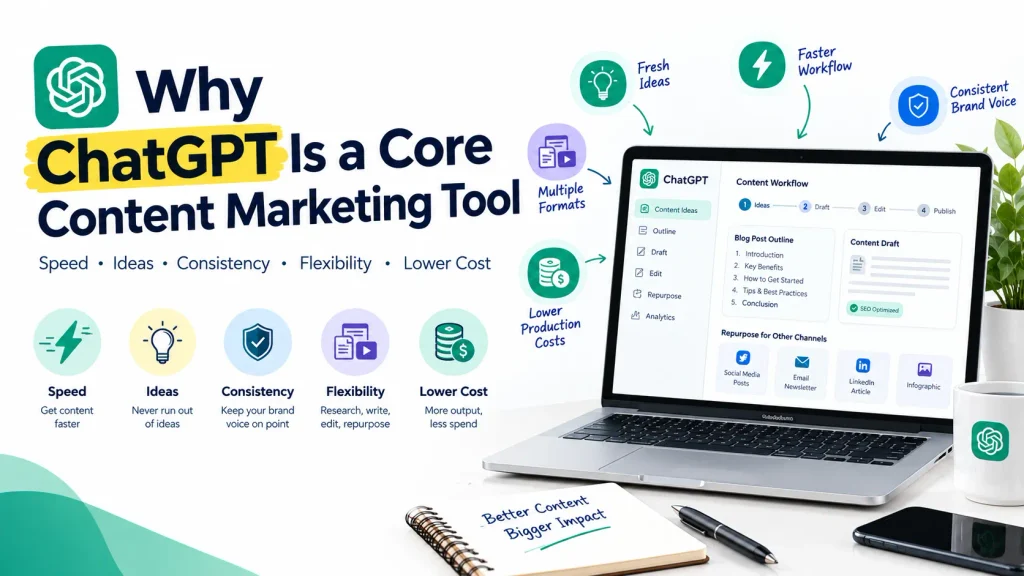
Content marketing has always been a numbers game wrapped in a quality game. You need enough volume to stay visible and enough quality to earn trust. ChatGPT helps with both in a few specific ways:
- Speed. Tasks that used to take an hour, like building an outline or drafting five subject lines, now take minutes.
- Idea generation. It never runs out of angles, which helps when your team is staring at a blank page.
- Consistency. With a saved brand voice prompt, your blog, emails, and social posts sound like the same company.
- Flexibility. One of the few AI tools that can handle research, writing, editing, and repurposing in a single place.
- Lower cost. Small US businesses and solo creators can produce work that once required a full agency.
The catch is simple. ChatGPT does not know your customers, your product, or your market the way you do. Your job is to supply that knowledge and then judge the output. Think of it as an intern with excellent writing skills and zero context.
Before You Start: Set Up Your Content Strategy
Do not open ChatGPT until you can answer four questions:
- Who is the reader? For example, US small business owners, IT managers, or tech enthusiasts.
- What problem are they trying to solve?
- What should they do after reading? Subscribe, book a demo, or buy.
- How will you measure success? Organic traffic, leads, or sign-ups.
Next, write a short brand brief. Include your audience, your tone (friendly, expert, plain English), words to avoid, and two or three example posts you like. Paste it at the start of any important chat, or save it in ChatGPT’s custom instructions so it applies every time.
Prompt: You are a content marketer for [brand], a [type of business] serving [US audience]. Our tone is [tone]. Avoid [words]. Always write in US English, use short paragraphs, and explain jargon in plain language. Confirm you understand, then wait for my first task.
These steps improves every output that follows

Step 1: Research Keywords and Topics
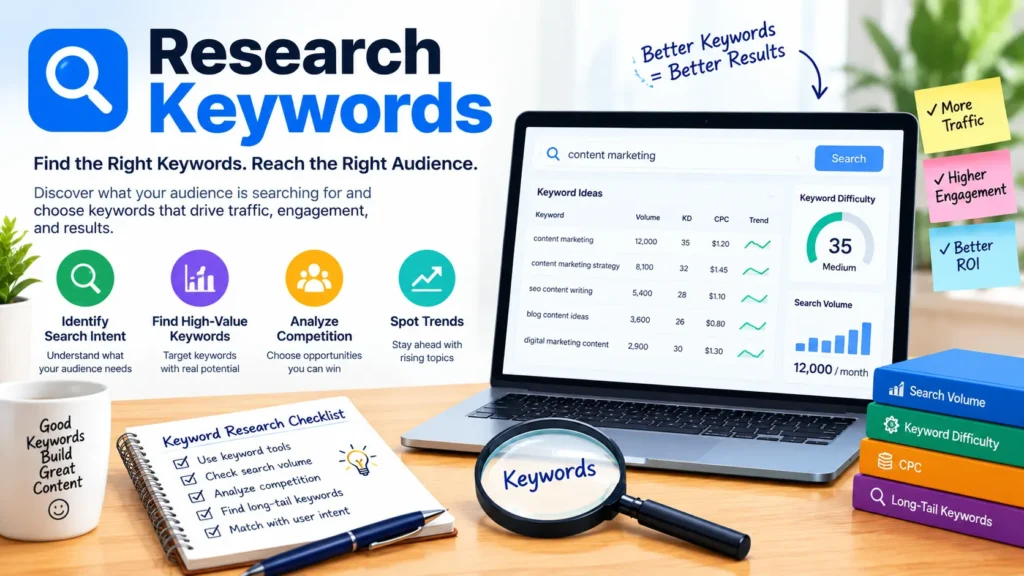
ChatGPT is not a keyword tool with search volume data, so pair it with Google Search Console, Google Keyword Planner, or an SEO platform for the numbers. Where ChatGPT shines is expanding and organizing ideas. Ask it to:
- Brainstorm 30 long-tail keywords around a seed topic such as “AI tools for small business.”
- Group them by search intent: informational, commercial, or transactional.
- Map each one to a stage of the buyer journey.
- Point out beginner questions that most articles skip.
Prompt: I run a tech blog for US readers. Seed topic: AI tools for content marketing. Give me 30 long-tail keyword ideas grouped by search intent, with a suggested blog title for each.
Then validate your favourites in an SEO tool before you commit. Targeting phrases with real demand, like how to use ChatGPT for content marketing, beats guessing every time.
Step 2: Build Audience Personas
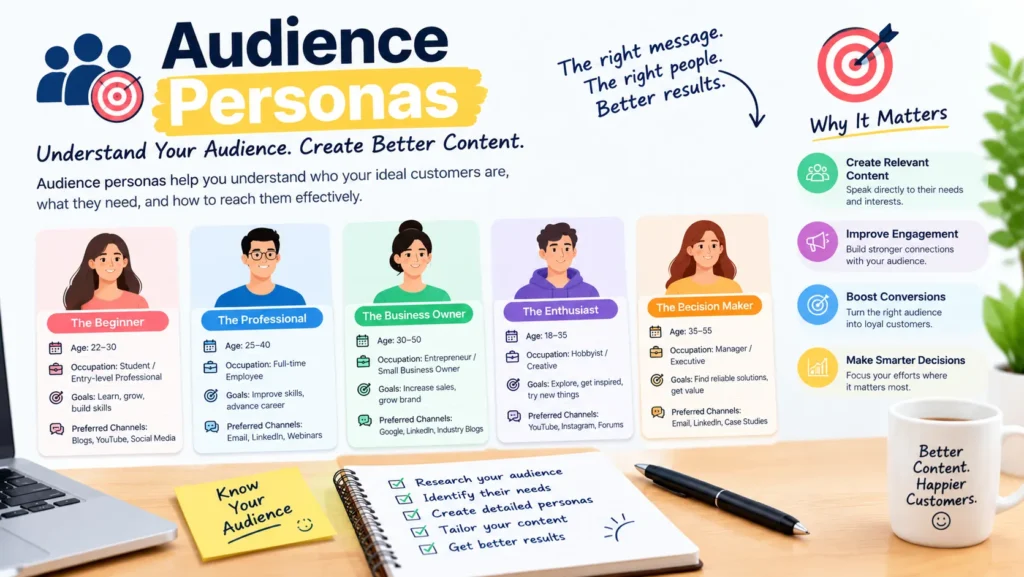
Generic content fails because it talks to everyone. Give ChatGPT real information from customer emails, reviews, support tickets, and survey answers, and ask it to draft two or three personas. Include job title, goals, frustrations, favourite platforms, and the exact words they use to describe their problems.
Prompt: Based on the customer feedback below, create three audience personas for a US tech blog. For each, list goals, pain points, objections, and the questions they type into Google. Feedback: [paste text]
Never paste private customer data, passwords, or confidential company information into any AI tool. Remove names and sensitive details first.
Step 3: Create Smart Outlines
A strong outline is half the article. Ask ChatGPT for three different outline options, then combine the best parts. Tell it your keyword, search intent, target word count, and what competitors already cover.
Prompt: Create a detailed outline for a 2,000-word blog post targeting the keyword “[keyword].” The reader is a [persona] in the US. Include an H1, H2s, H3s, a short FAQ, and a clear call to action. Suggest one angle competitors usually miss.
Before moving on, open the top five Google results yourself. Make sure your outline covers what readers expect and adds something new, such as a template, example, or first-hand lesson.
Step 4: Draft Section by Section
The biggest mistake is asking for a full 3,000-word article in one shot. You get a shallow, repetitive draft. Instead, draft one section at a time and feed in real material:
- Your own experience, results, and opinions
- Product details and screenshots descriptions
- Interview notes or quotes from your team
- Real US examples, such as a local business, a known platform, or a seasonal campaign
Prompt: Write the section “[H2 title]” in a conversational, expert tone for [persona]. Use short paragraphs, one concrete example, and one practical tip. Here are my notes: [paste notes]. Do not invent statistics.
That last sentence matters. ChatGPT can state wrong facts confidently, so ask it to flag anything that needs a source.
Step 5: Edit, Fact-Check, and Add Your Human Touch
This is where average AI content becomes great content. Read the draft out loud and fix anything that sounds robotic. Then work through a checklist:
- Verify every fact, number, and quote against a trusted source. Link to the original.
- Remove filler. Cut phrases like “in today’s fast-paced world.”
- Add experience. Include what you tried, what worked, and what failed.
- Check originality with a plagiarism checker before publishing.
- Match your voice. Rewrite stiff sentences in your own words.
Google has said it rewards helpful, people-first content and does not ban AI-assisted writing, but it does treat mass-produced, low-value pages as spam. Your editing is what keeps you on the right side of that line. So always make sure to add your own language and views to the content so it has that real touch of uniqueness and human thought.
Step 6: Optimize for SEO
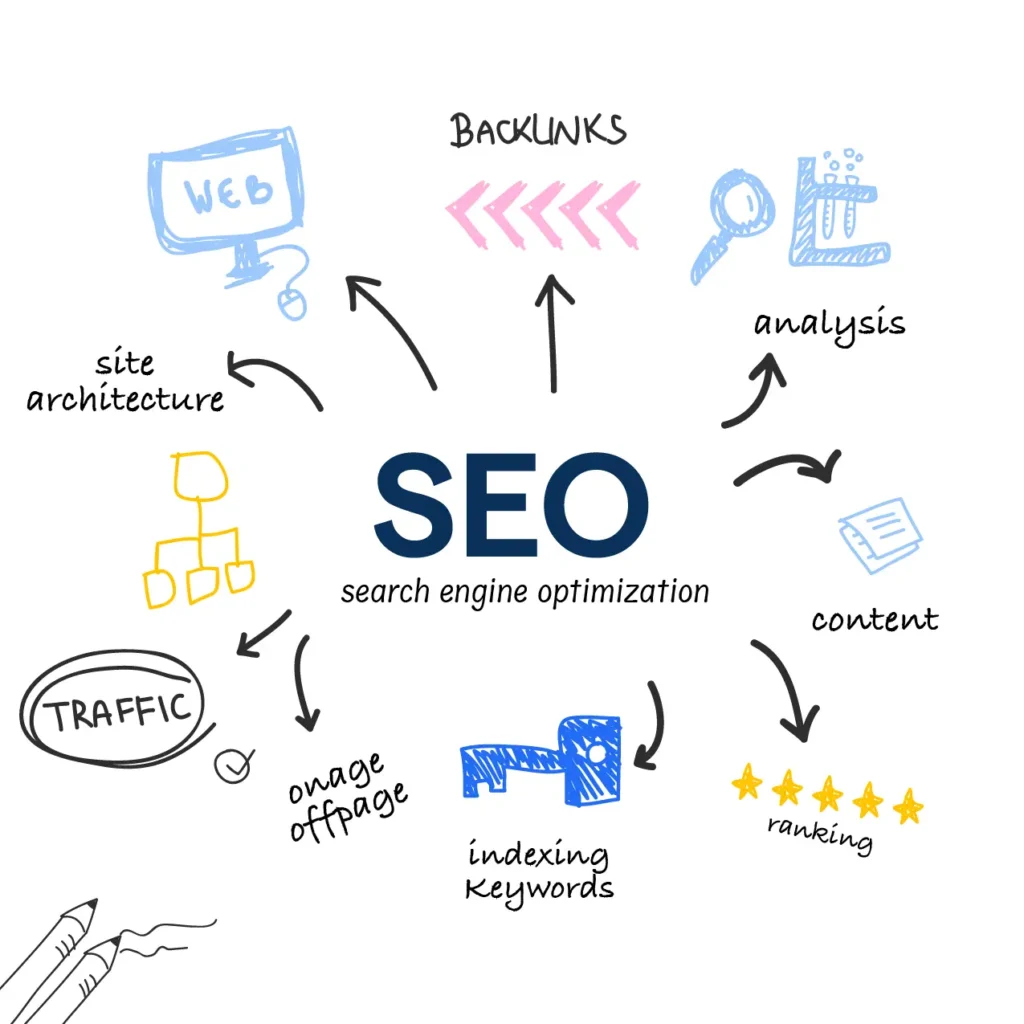
Once the draft is solid, use ChatGPT as an SEO assistant. Ask it to write few title tag options under 60 characters, some options for meta descriptions under 160 characters, a clean URL slug, and image alt text. Use your focus keyword in the title, the first paragraph, one or two headings, and the conclusion so your content can actually rank and people see your content on their search list.
A few reminders for modern SEO:
- Write for people first. Repeating a keyword unnaturally hurts readability and can effect your rankings. Use related phrases such as AI tools, tech tips, and content strategy where they fit naturally this makes your content naturally written and not copy pasted or ai generated.
- Match search intent. If readers want a how-to, give steps, not theory the intent can actually make visible difference.
- Add internal links to related posts, for example AI tools guides on Techloopy.
- Include an FAQ section and mark it up with schema using a plugin like Rank Math this helps generative engines to catch information from your content and feature it on it’s results.
- Show expertise. Add an author bio, sources, and a last-updated date this make people connect to the author and trust the authenticity of the content.
Prompt: Here is my draft. Suggest SEO title tags under 60 characters, meta descriptions under 160 characters, and internal link anchor ideas. Focus keyword: [keyword].
Step 7: Repurpose One Post Into Many Assets
One strong article can feed your whole content calendar. Ask ChatGPT to turn a finished post into:
- A LinkedIn post and a short X thread
- A newsletter summary with a catchy subject line
- Three short video scripts for Reels, Shorts, or TikTok
- A carousel outline for Instagram
- Pinterest titles and descriptions
- A webinar or podcast talking-points outline
Prompt: Turn the article below into a 150-word LinkedIn post for US marketing managers, a five-tweet thread, and a 45-second video script. Keep the main takeaways and add a question to spark comments. Article: [paste]
Tailor each version to the platform. The same words rarely work everywhere. Following this tip can help you growth for your content for the real.
Step 8: Write Emails, Social Posts, and Ad Copy
Short-form copy is where ChatGPT saves the most time. Generate atleast ten subject line options, then A/B test the best two. Draft welcome sequences, product announcements, and re-engagement emails, then edit them to sound like you. For ads, ask for multiple headlines and descriptions within the character limits of each platform.
If you earn money through affiliate links or sponsored posts, remember that the US Federal Trade Commission expects clear disclosure. Add it near the top of the content, not buried at the bottom. Make sure every product claim is true and can be backed up.
A Starter Prompt Library for Content Marketers
Save these in a notes app and reuse them:
- Idea generator: Give me 20 blog topics for [audience] about [theme], each with a hook and a target keyword.
- Headline tester: Write 15 headline options for this article, mixing how-to, list, and question formats.
- Intro fixer: Rewrite this introduction to open with a relatable problem and be under 120 words.
- Tone shifter: Rewrite this paragraph to sound friendlier and more direct, at an 8th-grade reading level. Giving a right prompt is the actual game
- Gap finder: Compare my outline to typical top-ranking posts and tell me what is missing.
- FAQ builder: Write ten FAQs about [topic] with concise answers under 60 words each.
- CTA writer: Give me five calls to action for this post, from soft to strong.
- Content calendar: Create a 30-day content calendar for a tech blog, mixing guides, news, and comparisons.
These are some of the prompts you can start with as a beginner and it would help to get a good content.
Common Mistakes to Avoid
- Publishing raw output. Unedited AI text is easy to spot and rarely builds trust so make sure to edit and give it a real touch.
- Skipping fact-checks. One wrong claim can damage your credibility. It is very important to make sure your claims are real and authentic.
- Keyword stuffing. Cramming a phrase into every sentence reads badly and can trigger spam signals. So it is very important to make correct keyword stuffing to your content.
- Using vague prompts. The more context you give, the better the result.
- Ignoring brand voice. Without guidance, ChatGPT defaults to a generic, polished tone.
- Forgetting the reader. Every piece needs a clear purpose and a next step. It is very important to keep the readers perspective and designing the content accordingly.
ChatGPT Plus Other AI Tools: Build a Simple Stack
ChatGPT works best as part of a small toolkit rather than a one-tool solution. A practical stack for most US marketers looks like this:
- ChatGPT for ideas, outlines, drafts, and repurposing
- Google Search Console and Keyword Planner for real search data
- An SEO optimization tool for competitor and content analysis
- A grammar and style checker for final polish
- A design tool for featured images and social graphics
- A scheduling tool to publish consistently
We regularly review and compare new AI tools at Techloopy, so check back as the tech landscape keeps changing.
How to Measure Your Results
Using ChatGPT is only worth it if results improve. Track a few simple metrics each month: organic traffic and impressions in Search Console, average ranking position for your target keywords, time on page and bounce rate, newsletter sign-ups or leads, and the hours saved per article. Compare AI-assisted posts with fully manual ones. Double down on the workflows that bring real traffic and drop the ones that do not.
Frequently Asked Questions
Can I use ChatGPT for content marketing for free?
Yes. ChatGPT offers a free plan that is enough for brainstorming, outlines, and short drafts. Paid plans generally add higher usage limits and extra features, which can help if you create content daily. Check OpenAI’s website for current plans and pricing.
Will Google penalize content written with ChatGPT?
Google has stated that it focuses on content quality, not how it was produced. AI-assisted content that is helpful, accurate, and original can rank. Content made at scale mainly to manipulate rankings can be treated as spam. So keep your content original and check draft before posting.
How do I make ChatGPT content sound less robotic?
Give it a brand voice brief, give real examples and notes, and edit before uploading. Add personal stories, specific details, and opinions. Reading the draft out loud is the fastest way to catch stiff phrasing.
What is the best way to write prompts for marketing?
Include the role, audience, goal, tone, format, length, and any facts it should use. Ask for revisions instead of starting over, and give feedback such as “shorter, friendlier, add an example.” Despite of detailed explanation it is very important to check the draft for yourself and make changes to phrases which feels like robotic or ai generated.
Can ChatGPT do keyword research?
It can suggest and organise keyword ideas, but it does not provide reliable search volume or difficulty scores. Use it for brainstorming, then confirm with Google Keyword Planner, Search Console, or a dedicated SEO tool. This would improve the quality of your content and help you with real data.
Is it safe to share company data with ChatGPT?
Avoid sharing confidential, personal, or client information. Review your company’s AI policy and the privacy settings in your account before pasting anything sensitive. But it is always better not to share your confidential information to AI assistant.
How much of my content should be written by AI?
There is no fixed number. A good rule is to let AI help with structure, first drafts, and repurposing, while humans provide the strategy, expertise, fact-checking, and final output.
Conclusion
Learning how to use ChatGPT for content marketing is less about clever tricks and more about a repeatable workflow: set a strategy, research with real data, outline, draft in sections, edit like a human, optimize for search, and repurpose everywhere. Pair ChatGPT with other AI tools, keep your standards high, and measure what works. Start with one article this week, use the prompts above, and refine as you go. For more practical guides on tech and AI tools, keep exploring Techloopy.
About the Author
Techloopy Team writes about tech, AI tools, gadgets, and digital marketing for readers across the United States. At Techloopy, our goal is to turn complicated technology into clear, practical advice you can use right away. We test tools, compare features, and share honest guides to help creators, marketers, and small businesses work smarter. Visit Techloopy for more guides, reviews, and AI tools updates.
Disclosure: This article is for educational purposes. Features and pricing of third-party tools can change, so please check each provider’s website for current details.